

Wiki spaces
Spaces are the unit of organization in the in-product Wiki at /wiki. Each space holds the pages for one area and carries its own settings for who can see it, who can change it, and what agents may do in it.
Space kinds
Section titled “Space kinds”- Company wiki — tenant-wide reference, visible across the tenant.
- Team spaces — one per team, with a team editor grant seeded for that team.
- New hire onboarding — the guided starting set for new members.
- My notes — your personal space. Private to you unless you move a note elsewhere.
Visibility and grants
Section titled “Visibility and grants”Each space carries visibility and grants that control who can read and write. Check the space settings in your tenant for the exact audience — do not assume a team space is tenant-visible, and do not assume the Company wiki is writable by everyone.
Agent edit policy
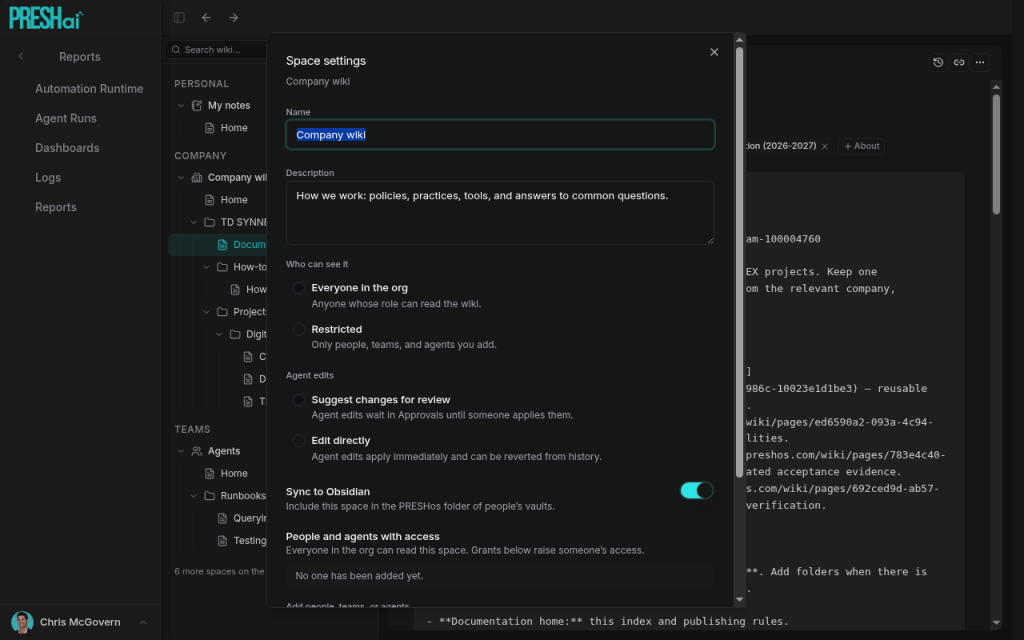
Section titled “Agent edit policy”Each space sets an agent_edit_policy with two modes:
| Mode | What happens |
|---|---|
suggest |
The agent proposes page changes; a human approves them through Approvals (Wiki kind) before anything lands. |
direct |
The agent may edit pages in the space directly, within its session scope. |
Prefer suggest for shared reference (Company wiki, onboarding) and reserve direct for spaces where agent-written updates are routine. The suggest flow is covered under Agents in the wiki.
Sync to Obsidian toggle
Section titled “Sync to Obsidian toggle”Each space carries a Sync to Obsidian toggle. Spaces with the toggle on sync to connected Obsidian vaults; spaces with it off stay in-product only. Enable it per space — see Obsidian sync for the plugin, vault layout, and sync behavior.
Home pages and generated blocks
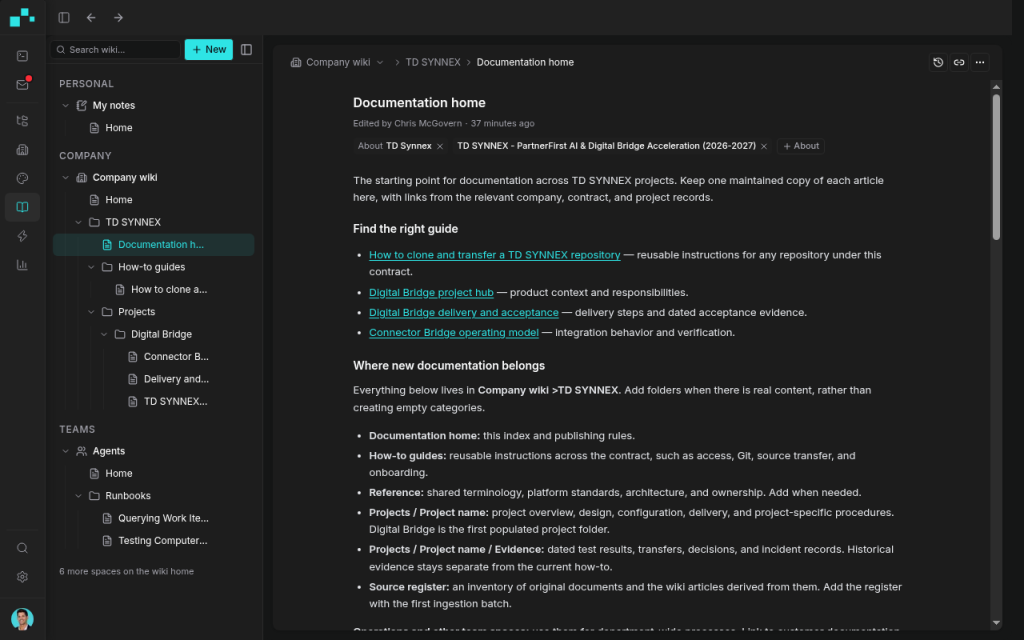
Section titled “Home pages and generated blocks”Spaces may carry Home pages with generated blocks: maintained entry points that summarize or index the space. Treat generated blocks as derived content — edit the source pages, not the block output, and regenerate rather than hand-editing.
Editing pages
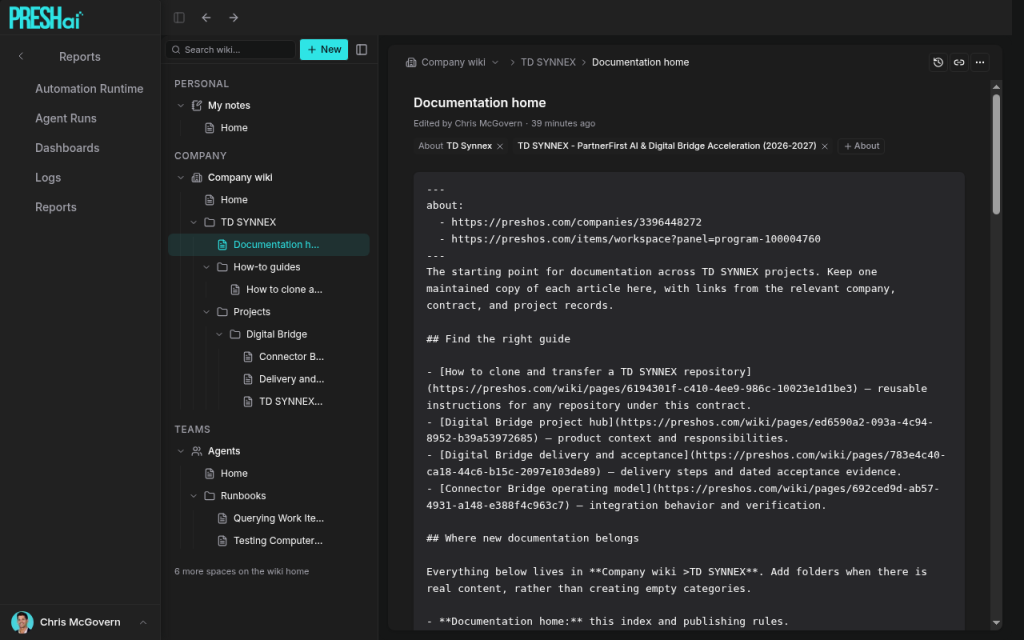
Section titled “Editing pages”Pages edit in the page editor, which includes a Source mode for the underlying content. Edit the source pages themselves; generated blocks re-derive from them.
Record links and access
Section titled “Record links and access”Pages link to records through frontmatter about: — record URLs the page is notes for. See Wiki (in product). What a member sees through a record link is gated twice: record RBAC plus space access, org_id filtered, with work items typed by type plus public id. A page about a record you cannot open stays closed even when the space is visible.
What next
Section titled “What next”- Wiki (in product): overview, who it is for, the space list.
- Agents in the wiki: suggest vs. direct edit in practice.
- Obsidian sync: per-space sync from the vault side.