

Voice / GPT-Live
Open in product: preshos.com/agent-ops/voice · agent voice config at preshos.com/ai/agents
Voice (GPT-Live) is a live voice run inside a session: the member talks, the agent answers and acts, and everything the run does lands in the same transcript, under the same environment policy, behind the same approval gate as a typed session. Voice changes the input channel, not the governance. A spoken instruction carries exactly the weight of the same typed instruction — reads flow, risky actions pause, and an action with no transcript line did not happen here.
Three ground rules, first — they decide most voice failures before they happen:
- Voice config is agent-owned. Voice lives on the agent, alongside prompt, model, tools, skills, and memory. An agent whose config carries voice can open live-voice runs; an agent whose config does not cannot.
- An OpenAI tenant connection is required. Voice runs on the OpenAI connection the tenant holds — no connection, no voice run. This is a tenant prerequisite, not a per-session fix. See AI providers.
- One active voice session per actor. A member holds one live voice run at a time. A second voice run means ending or handing off the first, not stacking calls.
Voice config lives on the agent
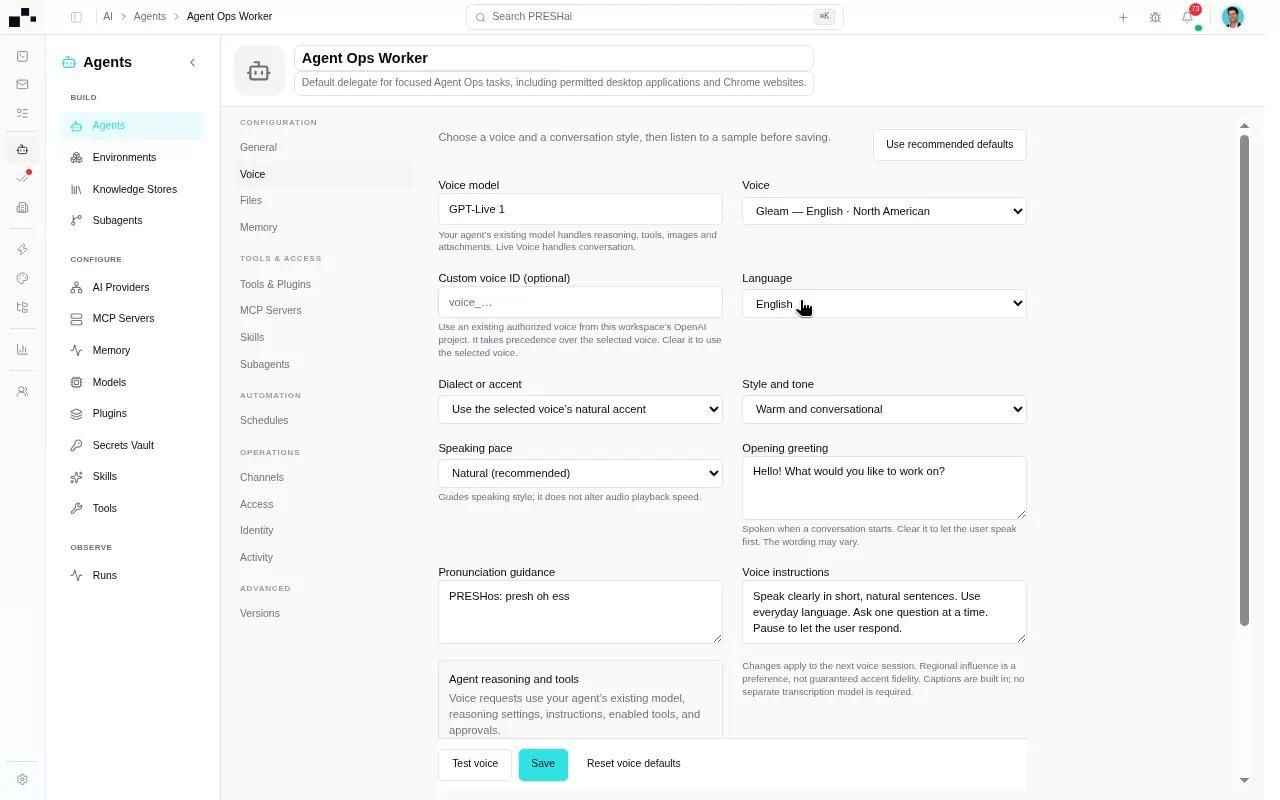
Section titled “Voice config lives on the agent”Voice is configured on the agent — it is part of what the composer Agent picker selects at preshos.com/ai/agents, not a session-side toggle. Config shapes every session that picks the agent, so voice changes here propagate the same way tool changes do: voice on or off is per agent, and the same tenant can hold voice-enabled agents beside voice-off agents for workloads that should stay typed. The agent’s scope still decides what a voice run may reach: its tools, skills, and memory, filtered through the environment policy at session start.
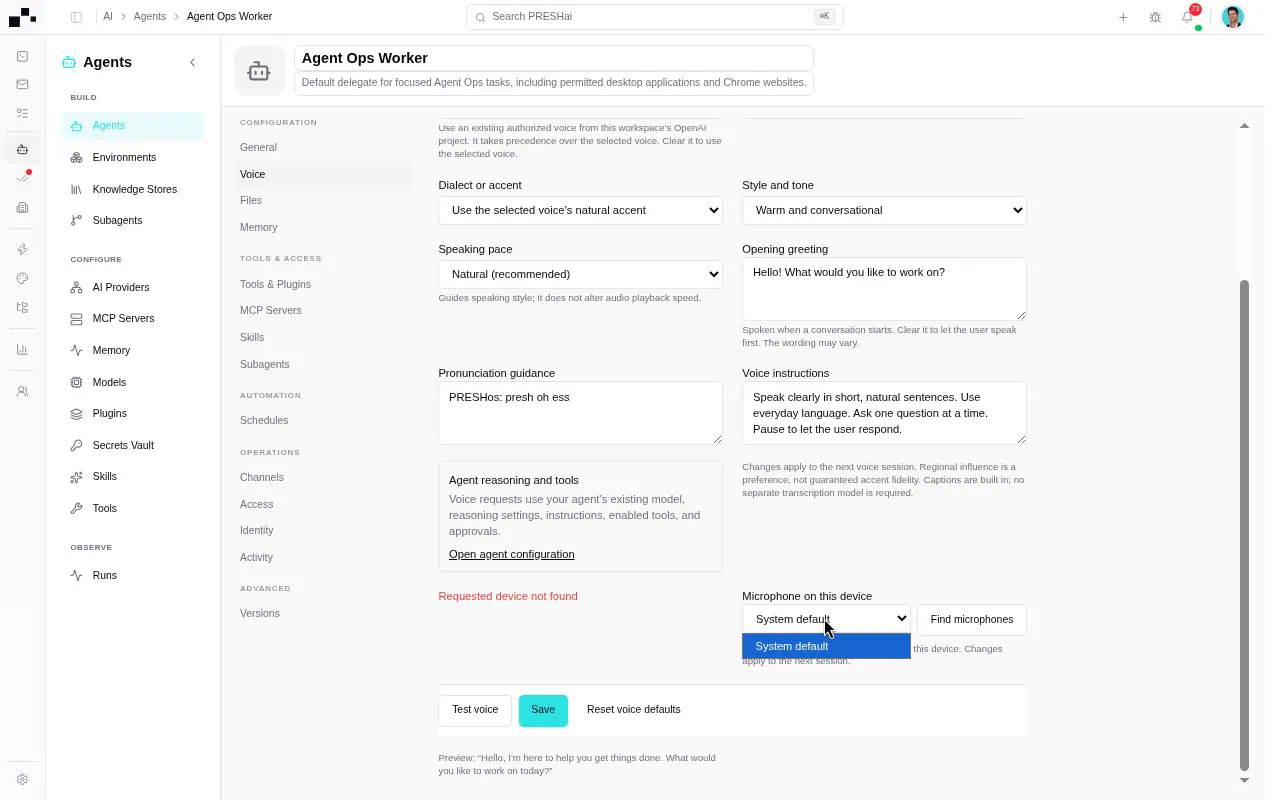
Microphone and input selection ride with the agent config: which input the live-voice run listens on is set where the voice is configured, not improvised mid-call. A run that cannot hear the member is a config question, not a volume trick — check the agent’s voice input selection before re-running.
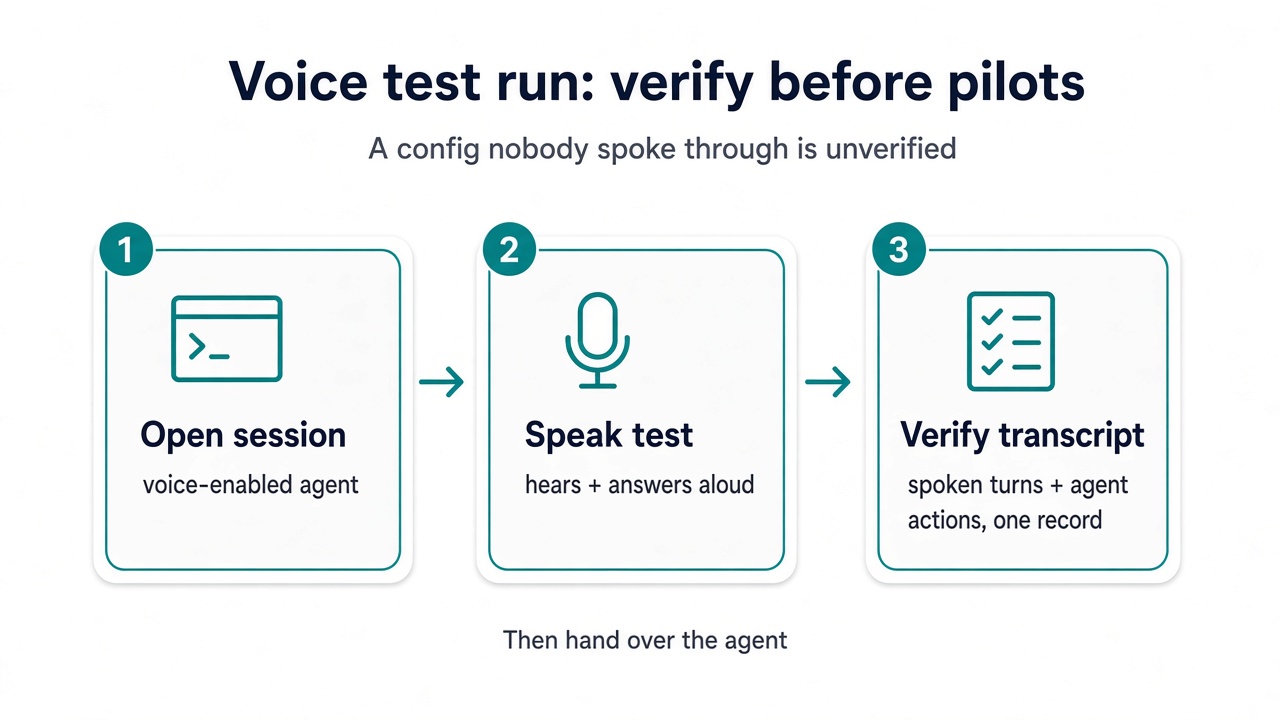
Verify with a test voice run before pilot users arrive: open a session with the configured agent, start live voice, confirm the run hears, answers, and acts inside the transcript — then hand the agent over. A voice config nobody spoke through is unverified, whatever the toggles show.
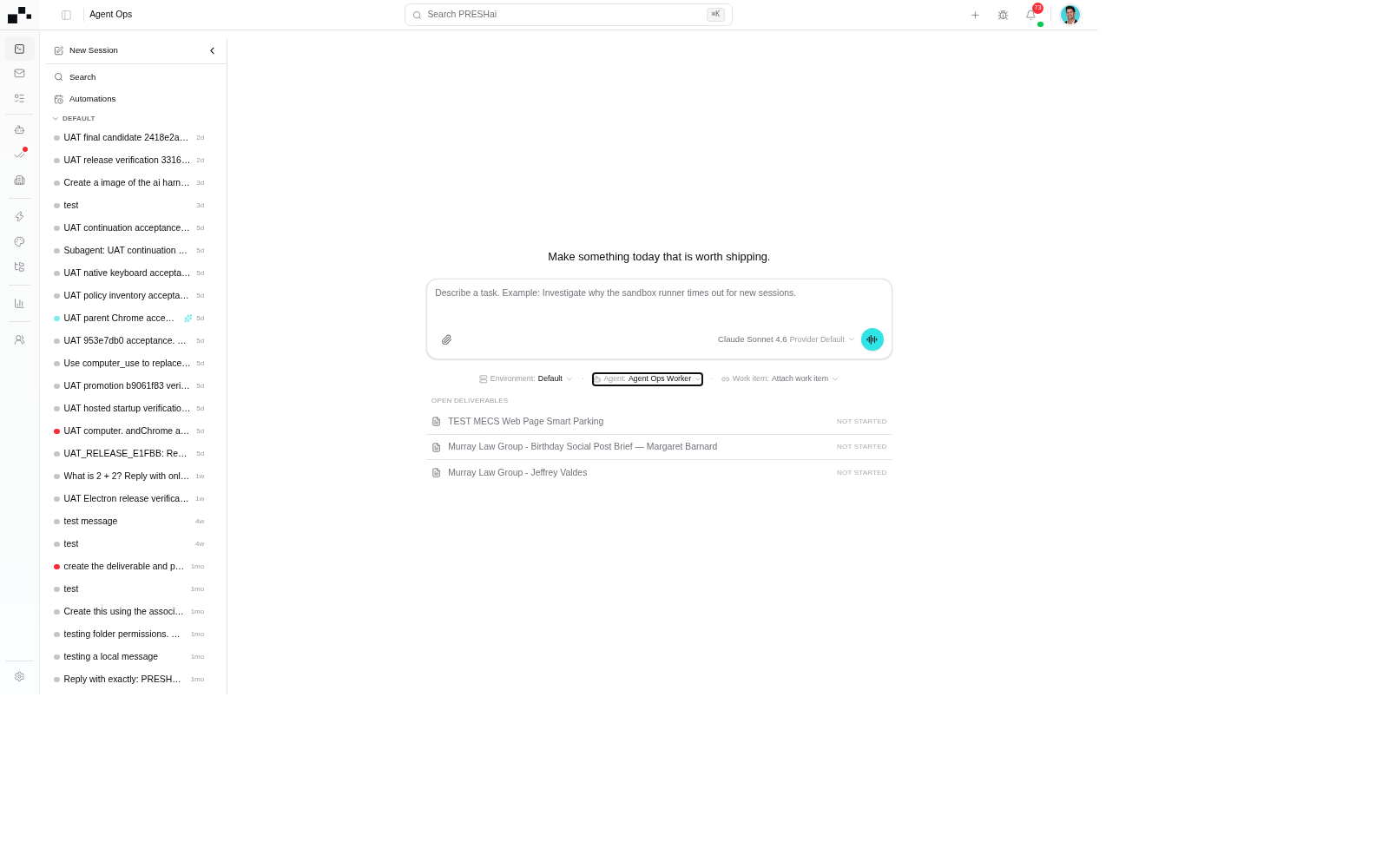
Start live voice from a session
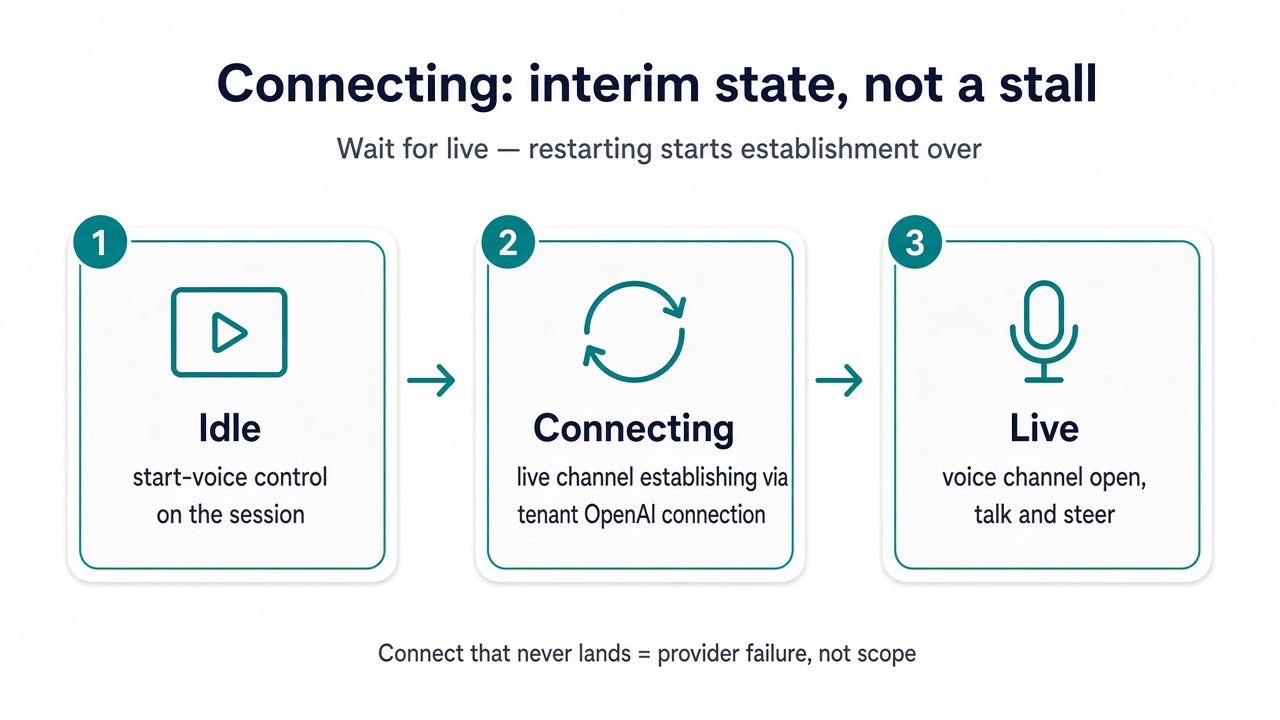
Section titled “Start live voice from a session”A voice run starts from a live session, not from outside it. Open the session and start live voice from the session surface: the idle state shows the start control, and the run continues with voice as the channel once it connects.
Connecting is an interim state, not a stall: the run is establishing the live channel against the tenant’s OpenAI connection. Wait for the live state — ending and restarting mid-connect starts the whole establishment over. A connect that never lands is a provider-failure question (see below), not a scope question.
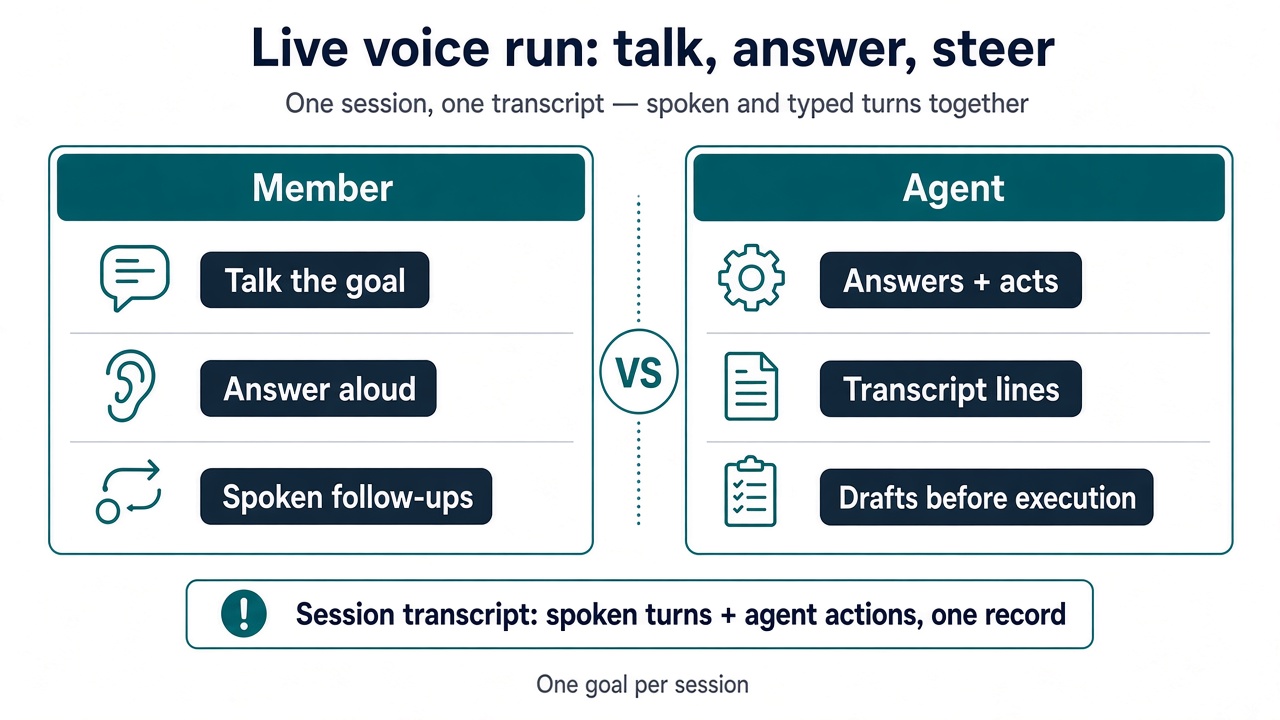
Live, the run works like any session: talk through the goal, answer the agent’s questions aloud, and steer with spoken follow-ups the same way the reply box steers a typed run. The transcript keeps recording — spoken turns and agent actions land in the same line as typed ones, so the run reads back as one session, not two.
- One goal per session holds for voice. A second task means a second session, not a second topic mid-call.
- Question scope drift aloud, immediately. If the agent starts narrating work outside the goal, stop and rescope instead of talking through it.
- Prefer drafts as the default output. A draft under review beats an execution nobody asked for, spoken or typed.
During the run: mute, captions, text plus voice
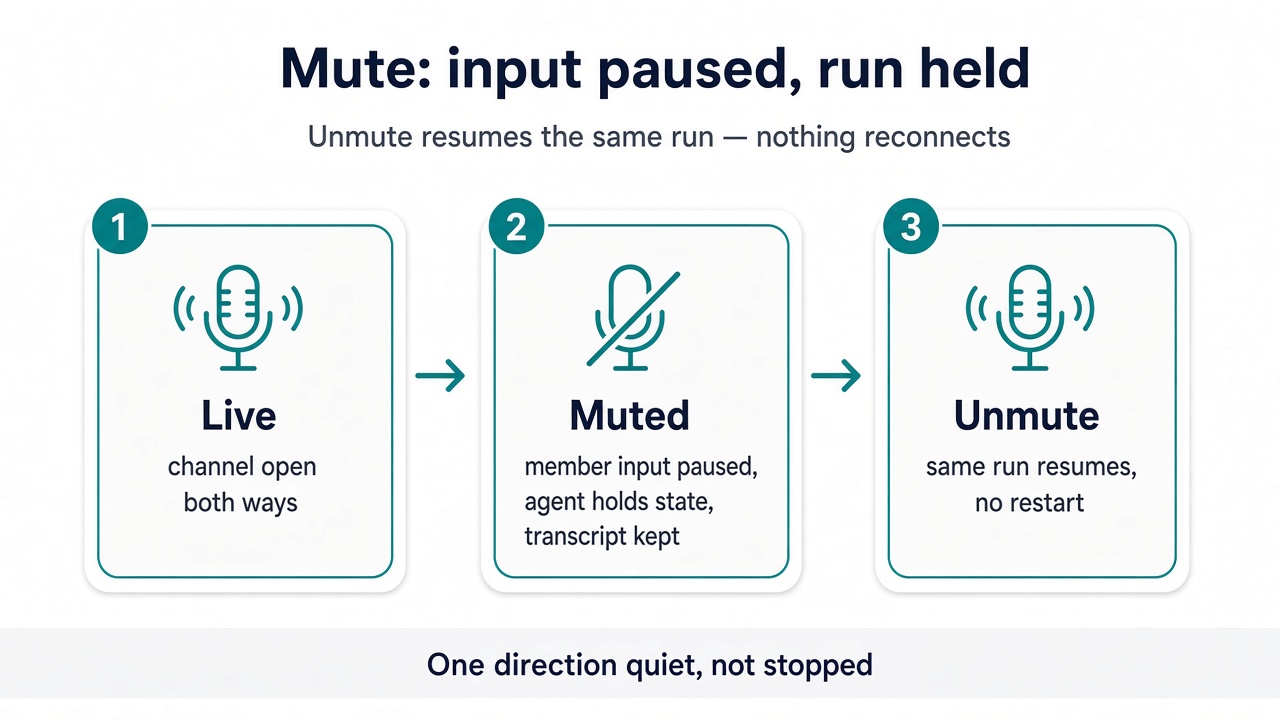
Section titled “During the run: mute, captions, text plus voice”Mute pauses member input, not the run: the agent holds its state and the transcript keeps what happened so far. Unmute resumes the same run — nothing reconnects, nothing restarts. A muted run that the agent keeps narrating is normal; the channel is one direction quiet, not stopped.
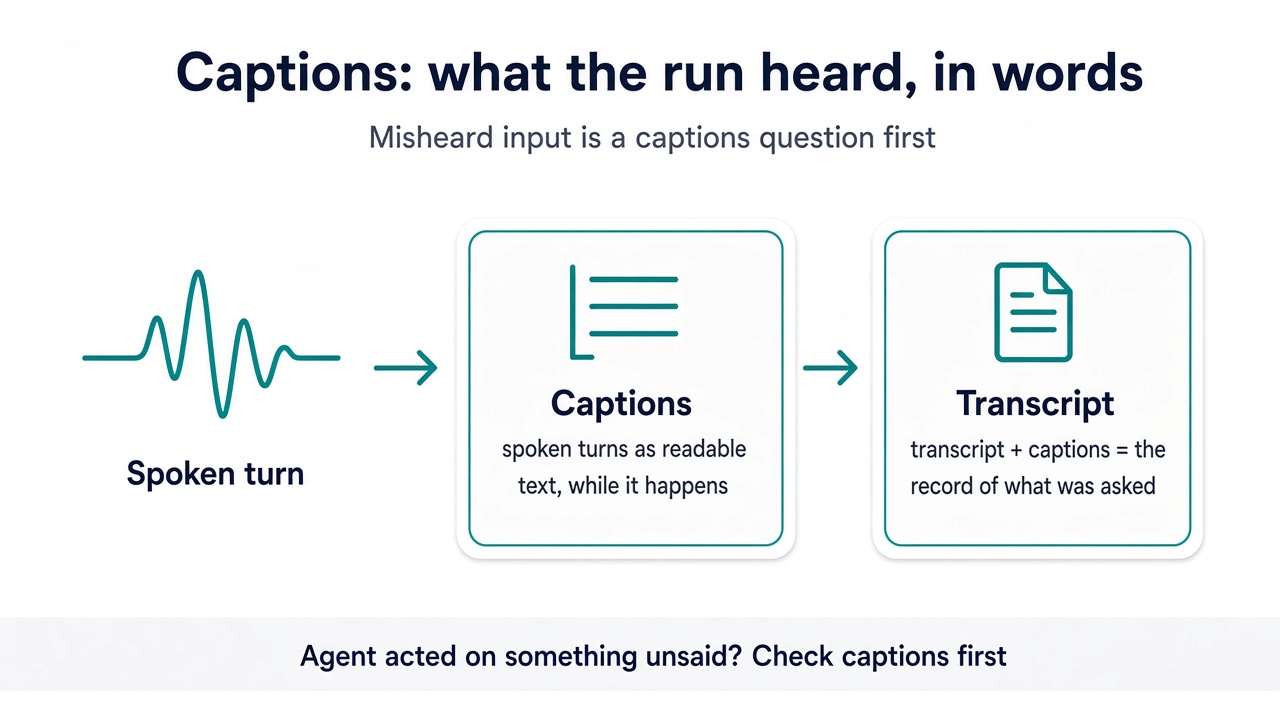
Captions render spoken turns as readable text beside the transcript: what the run heard, in words, while it happens. When the agent acts on something the member did not say, check the captions first — misheard input is a captions question, and the transcript plus captions together are the record of what was actually asked.
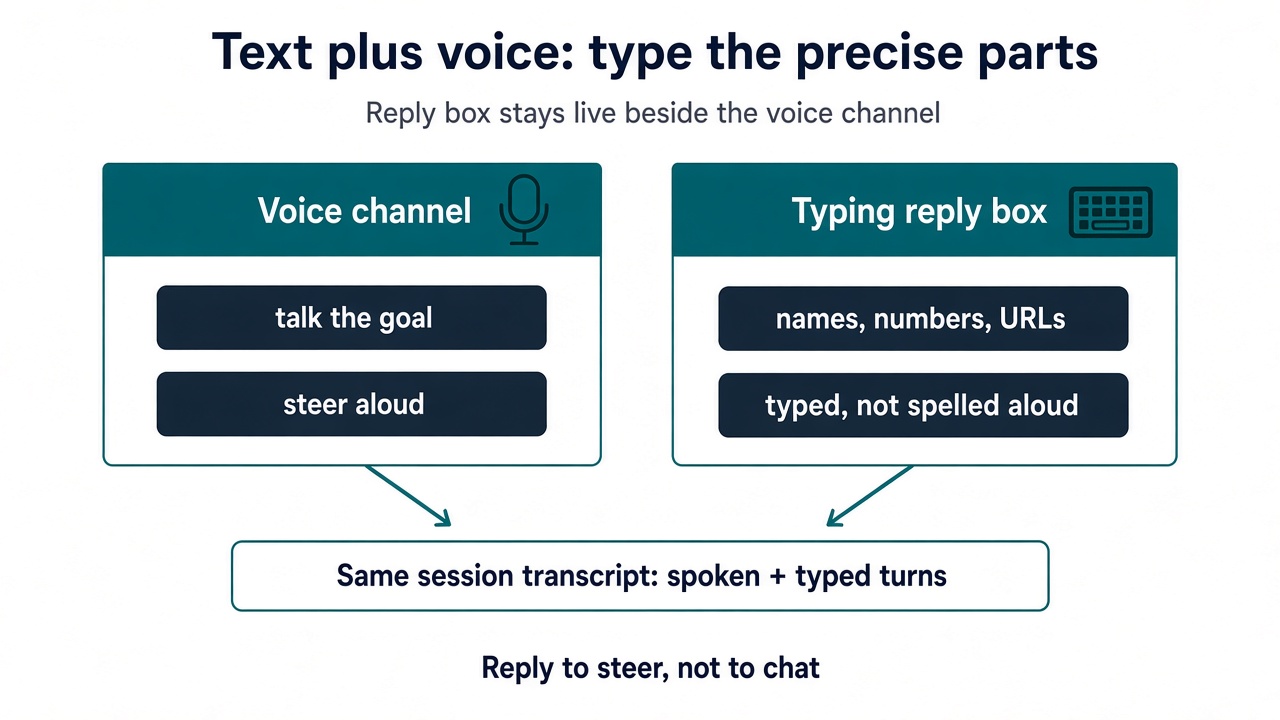
Text stays available beside voice: the reply box keeps working while the channel is live, so a precise value — a name, a number, a URL — goes typed instead of spelled aloud. Typed turns land in the same transcript as spoken ones. Reply to steer, not to chat, in either channel.
Stop working is not End voice
Section titled “Stop working is not End voice”Stopping the work and closing the channel are two different controls with two different outcomes. Stop working halts the agent’s actions — further steps cancel, partial writes stay partial, and the transcript records what completed, what was in flight, and what never started. The voice channel stays open: the member can redirect and the run continues from proven transcript state. End voice closes the channel itself: the conversation ends, while the transcript, artifacts, and outcome stay on the session record exactly as a typed session’s would. Ending the voice run ends the channel, never the session.
- A stopped run resumes from the transcript, never from assumed state — review what never started before re-running.
- Never assume a cancelled spoken fill “probably finished.” Partial stays partial until the transcript proves otherwise.
Plugin settings for voice
Section titled “Plugin settings for voice”Voice arrives as an installed capability, like any other: install the voice package from the plugin registry, grant it to the agents that need it, and confirm the session environment policy allows it. Until install, agent grant, and environment policy all hold, the session panel will not list voice — see Plugins in session. The session plugins panel on the run surface lists what the voice run may actually call; registries show what exists, the run shows what is available here.
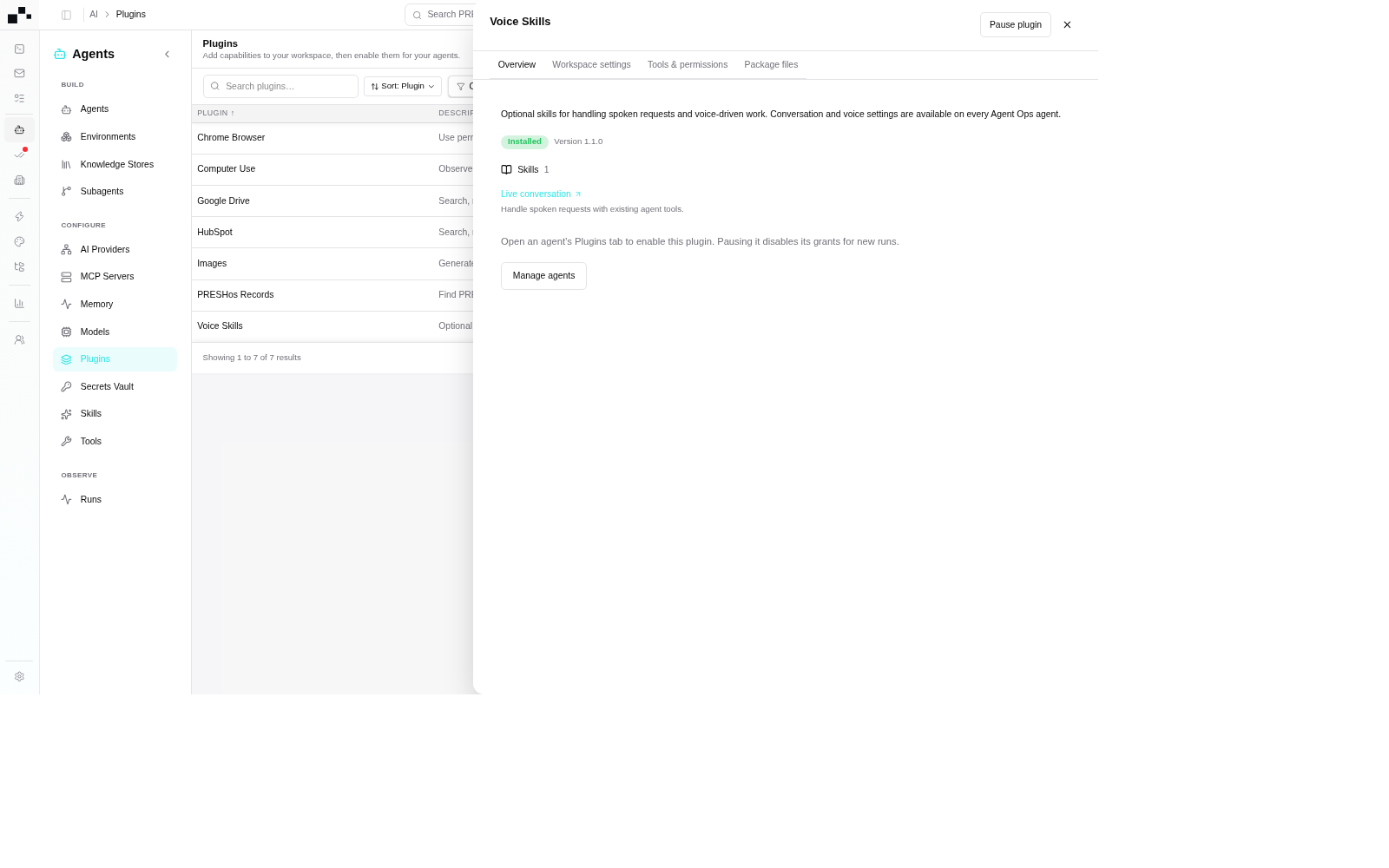
- An agent never granted the voice plugin cannot carry voice into a session, whatever the registry shows.
- Voice invocations land in the transcript with input and result, one fired step at a time — spoken or typed, invocation is the only proof the capability did anything here.
Handoffs and delegation
Section titled “Handoffs and delegation”A voice run can hand off work it should not finish itself: the goal plus the transcript context so far passes to the receiving agent or session, which continues from what the transcript proves happened — never from assumed state. No locked shot covers the handoff surface; the transcript is the handoff payload, and a spoken recap alone is not. Delegation stays inside the run’s policy: the receiving scope is still the agent’s granted tools filtered through the environment, and risky actions still pause at the approval gate on the receiving side.
- Hand off with the record, not with a summary from memory.
- A handoff to an agent that was never granted the needed capability fails at grant, not at voice — walk the install → grant → session → invoke flow backwards, exactly as for a typed session.
- Scoped helpers owned by the agent config live under Subagents.
Background task cards
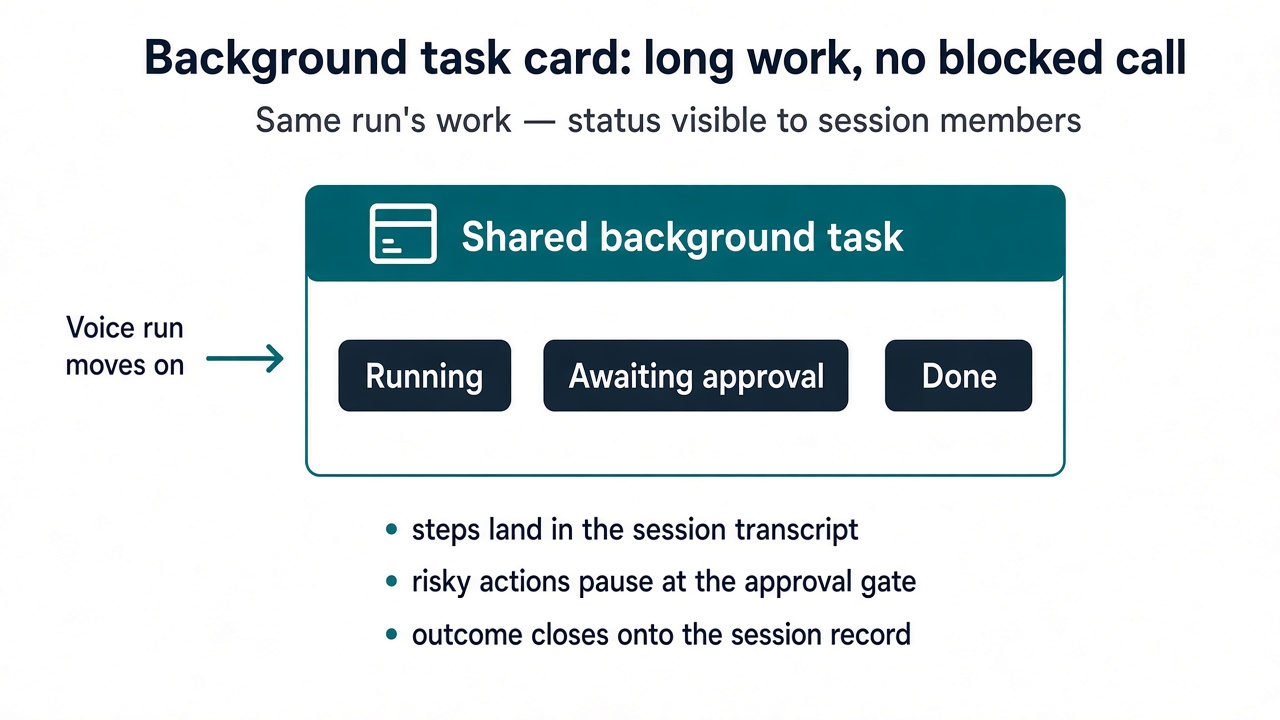
Section titled “Background task cards”Long-running work a voice run starts does not block the conversation: it continues as a shared background task card, visible to session members with its status — running, awaiting approval, done — while the voice run moves on. The card is the same run’s work, not a second session: its steps land in the session transcript, its risky actions pause at the same approval gate, and its outcome closes onto the session record.
- Read the card status before re-asking. A task already running does not need a second spoken kick — one run, one card.
- An approval the card waits on is decided where approvals are always decided: the gate, not the voice channel talking past it. See Approving agent actions.
- A card that reports failure is read the same way as any failed run: what the transcript proves happened decides the next move.
Access-denied vs provider failure
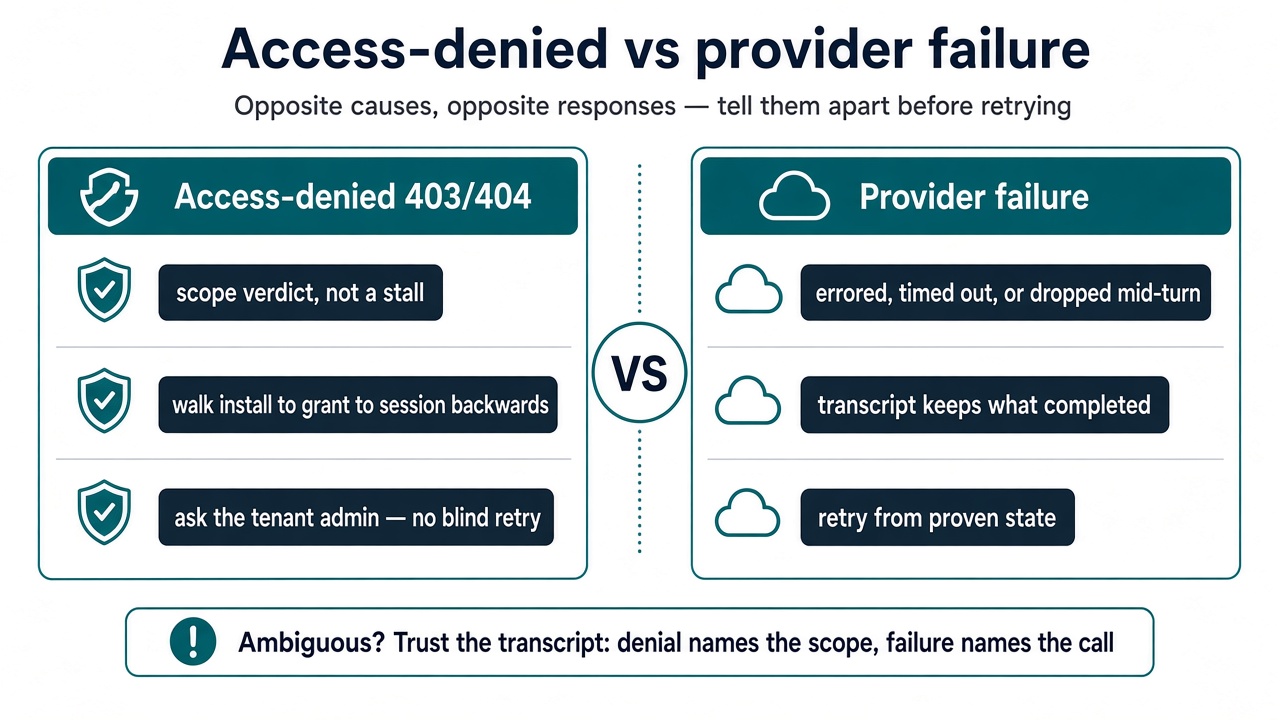
Section titled “Access-denied vs provider failure”Voice failures come in two kinds, and they ask for opposite responses. Tell them apart before retrying anything.
- Access-denied (403/404): a scope verdict, not a stall. The run is not permitted to reach what was asked — a capability never granted to this agent, an environment policy that excludes it, a session whose scope does not include it. Where install and grant disagree, deny wins. Do not retry blind and do not rephrase: walk install → grant → session scope backwards to find the joint that denied it, then ask the tenant admin. Awaiting-access retries never convert a denial into a grant.
- Provider failure: a backend failure, not a wrong prompt. The voice provider errored, timed out, or dropped the run mid-turn — including a connect that never lands. The transcript keeps what completed before the failure; retry with context from that proven state, or re-scope and re-run. Provider errors never mean the goal was out of scope — they mean the attempt failed.
When the two are ambiguous, trust the transcript: a denial names the missing scope, a provider failure names the failed call. Report the gap with both quoted before continuing.
Out of scope for this page
Section titled “Out of scope for this page”- Electron desktop update: the desktop shell is not a voice surface — nothing here describes it.
- Phone / SIP telephony: PSTN calling is not session live voice — no telephony flows live on this page.
- Computer use: OS-level control stays on Computer use — background control, floating live preview, agent cursor, and Hide/Stop shipped there.
Honest gaps
Section titled “Honest gaps”- Exact voice field names, provider labels, and error copy follow the product UI as the source of truth; this scaffold names surfaces, not strings. Product-repo verification against the recent Agent Ops release cluster is pending — flag discrepancies rather than inventing around them.
- Live captures stay limited to the four UAT screenshots (
voice-agent-config,voice-agent-mic,voice-session-idle,voice-plugin-skills); the remaining Live Voice states are covered by brand-aligneddiagram-voice-*.pngdiagrams of UI states, not live captures — no invented product UI meanwhile.
What next
Section titled “What next”- Sessions: what the open-session surface shows once work starts.
- Starting a session: agent and environment selection for the next run.
- Plugins in session: install → grant → session → invoke for the voice package.
- Agent config: the configured agent behind voice runs.
- AI providers: the tenant OpenAI connection voice requires.
- Environments: the scope voice runs start from.
- Approving agent actions: the gate voice-run actions pause at.